
Hit the ground running in a few easy steps right here in the HSA Migration Hub! Here, you’ll find helpful information and links about the migration process and how to effectively manage your HSA using the new HSA Member Portal.
The following section covers key dates to know and answers questions that you may have regarding the migration.
| KEY DATE | ACTION |
|---|---|
| April 30, 2024 | Last day to: (1) make changes to your existing HSA investments, (2) self-liquidate your investments (otherwise UMB will liquidate for you during the blackout), (3) request your UMB HSA be closed or transferred to another HSA custodian, and/or (4) to complete UMB internal account transfers using online banking. |
| Late April – Early May, 2024 | You will receive a welcome email indicating your Inspira HSA has been created. NOTE: Your Beniversal® Prepaid Mastercard® and BRIWEB login will remain the same and will automatically be linked to your Inspira HSA. |
| May 1, 2024 | The blackout period begins on your UMB HSA. During this time, you will not be able to access your UMB HSA funds or make changes to your UMB HSA. |
| May 14, 2024 | UMB resigns as the HSA custodian of your UMB HSA and appoints Inspira as the new custodian of your HSA. The terms of your UMB HSA are fully replaced by the terms of your Inspira HSA. Your UMB HSA deposit balance will be transferred to Inspira as your new HSA custodian and deposited into your Inspira HSA. |
| May 16, 2024 | The blackout period ends, and the transfer is complete. You may begin using your new Inspira HSA. A migration complete notice will be sent to accountholders with an email on file. As necessary, update stored HSA account information to reflect the information associated with your Inspira HSA, including your Inspira HSA account number and routing number. Additionally, be sure to re-input your direct deposit and beneficiary information in BRIWEB and the HSA Member Portal. Instructions on doing so are available in the “Manage Your HSA” section of this page. |
No action is required to initiate the transfer. Unless you close your UMB HSA or transfer your HSA assets to a new HSA custodian prior to May 1, 2024, your UMB HSA will automatically transfer on May 14, 2024 . However, you may wish to do some (or all) of the following before, during, or after the migration.
In order to ensure the funds in your UMB HSA are seamlessly transferred to your new Inspira HSA, UMB will implement a blackout from May 1-15, 2024. A blackout period refers to a period of time during which an account’s functions will be restricted. During this time, you will not be able to access your UMB HSA online, complete online and mobile payments, or transact on your UMB HSA using your Beniversal Card.
On May 16th, you may resume these activities using your Beniversal Card and the HSA Member Portal.
If you need to pay for an HSA-qualified expense during the blackout period, you can do so using an alternative payment method, such as your household checking account or a personal credit card account. Once the transition concludes on May 16, 2024, you can reimburse yourself for the amount of payment within the HSA Memberl. Instructions on this are included in the “Manage Your HSA” section of this page.
To effectively manage your HSA online, you’ll first need to create a BRIWEB account. On the BRIWEB Login page, select “Register an Account.” Follow the instructions provided. You will need the following pieces of information to register:
After you’re set up on BRIWEB, you will be able to access additional HSA management features using the “Health Savings Account” tab from the left sidebar. See the “Manage Your HSA” section of this page for more information.
The investment options available through your UMB HSA are different than the investment options that will be available when your HSA is custodied by Inspira. As such, beginning May 1, 2024, UMB will begin liquidating all remaining UMB HSA investment assets. Once the liquidation process is complete, the proceeds will be returned to your UMB HSA Deposit Account, in a cash position.
The value of your HSA investment assets will be determined based on the market value of the security on the day it is liquidated. For this reason, you may wish to liquidate your UMB HSA investments on a day of your choosing, prior to April 30, 2024 10:00pm ET. To complete this process, please follow the steps outlined below:
As a part of the migration, you will receive a new account number. If you are making contributions to your HSA outside of the ones made through your employer (e.g., through a personal bank account), you will need to update information accordingly. Contributions made by your employer on your behalf are not affected. See the “Manage Your HSA” section of this page for help finding your new account number.
Direct deposit and beneficiary information will not be transferred. After the migration is complete on May 16, 2024, you will need to re-input this information. Instructions on doing so are available in the “Manage Your HSA” section of this page.
Any existing investments you have with UMB will be liquidated during the migration process. You can begin reinvesting your funds in the HSA Member Portal starting May 16, 2024. See information and tips on getting started in the “Manage Your HSA” and “Investment Tips” sections of this page.
No. An Inspira HSA will be established on your behalf as a part of the transition process. To help you get familiar with your Inspira HSA, enclosed with this notice you will find the following documents, describing your Inspira HSA from BRI:
Please read the above documents carefully. Effective May 14, 2024, the terms of your existing UMB HSA will terminate and be fully replaced by the terms of your Inspira HSA, described in the documents referenced above.
If you wish to have your HSA transferred to Inspira and you accept the Inspira Health Savings Account Custodial Agreement and fee schedule, no action is required. These documents will be applicable to your Inspira HSA beginning May 14, 2024.
If you do not accept the Inspira Health Savings Account Custodial Agreement or fee schedule, you must close your UMB HSA or transfer your HSA assets to a new HSA custodian prior to May 1, 2024. The steps necessary to close or transfer your UMB HSA can be found on page 5 of this notice. If you do not take action in accordance with page 5 of the notice before May 1, 2024, you will be deemed to consent to the transfer of your HSA to Inspira and to accept the Inspira Health Savings Account Custodial Agreement and fee schedule.
When UMB resigns as custodian of your HSA on May 14, 2024, your UMB HSA will be closed. On that day, the balance of your UMB HSA will be transferred to your Inspira HSA. You will be able to access your HSA funds through your Inspira HSA beginning May 16, 2024. Your existing Beniversal Card and BRIWEB login will remain unchanged throughout this process and your Inspira HSA will automatically be linked.
Yes. The fees applicable to your HSA, and the amount of certain fees, will change when your account is transitioned from UMB to Inspira. These fees, which will be applicable to your Inspira HSA effective May 14, 2024, are described in detail in the fee schedule included with this notice.
In order to ensure the funds in your UMB HSA are seamlessly transferred to your Inspira HSA, UMB will implement a blackout beginning May 1, 2024. A blackout period refers to a period of time during which an account’s functions will be restricted. During this time, you will not be able to access your UMB HSA online, complete online and mobile payments, or transact on your UMB HSA using your Beniversal Card.
Once the blackout period is complete on May 16, 2024 you may resume using your existing Beniversal Card and may access your Inspira HSA through BRIWEB.
Yes. See the “Manage Your HSA” section of this page for help finding your new account number.
You may make contributions to your UMB HSA as usual through April 30, 2024. Employer contributions facilitated through BRI during the blackout period will be held and automatically applied to the Inspira HSA following the end of the blackout period on May 16, 2024.
As previously mentioned, you will receive a new HSA account number and routing number through the transition process. If you are making contributions directly to your HSA, through an external bank account or through another platform, you will need to update the account number and routing number used to initiate deposits after April 30, 2024. Contributions directed to your UMB HSA after May 1, 2024 may be returned to the originator.
Contributions made directly to your Inspira HSA during the blackout period, will be applied to your Inspira HSA but will not be available for use through the Beniversal Card until May 16, 2024.
Yes. To ensure the successful transfer of your HSA, blackout periods will apply, based on how you initiate the distribution.
If your UMB HSA includes recurring payments initiated through UMB online banking platform, you will need to reestablish the recurring payments on your Inspira HSA through BRIWEB beginning May 16, 2024.
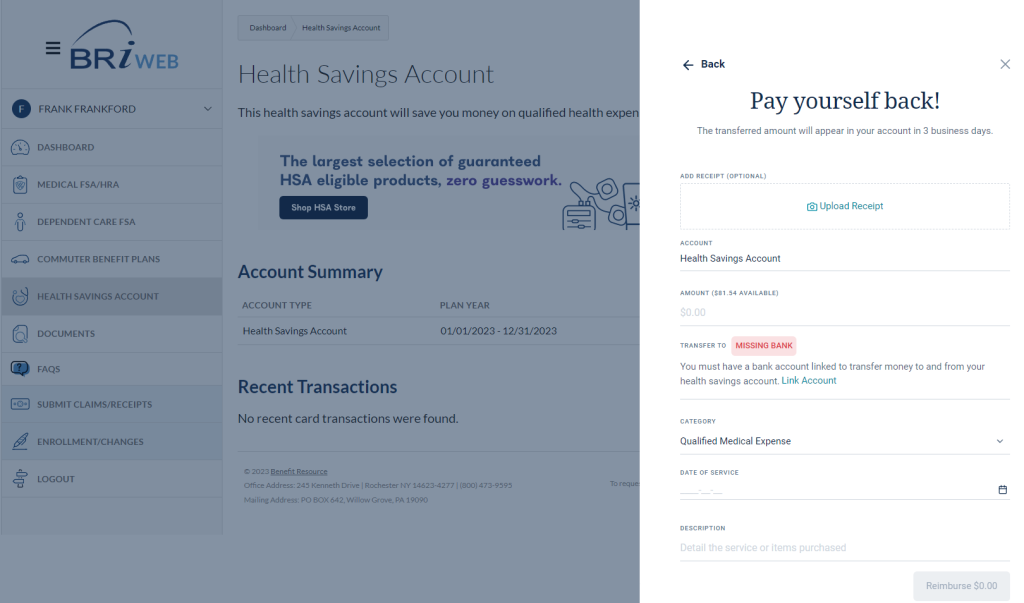
During blackout periods, payments for qualified expenses can be made using an alternative payment method, such as your household checking account or a personal credit card account. Once the transition concludes on May 16, 2024, you may log into BRIWEB then reimburse yourself for the amount of payment using the “Reimburse Myself” feature found on the “Health Savings Account” tab under the “I want to…” dropdown.
No. Your existing Beniversal Card can be used to access funds in your Inspira HSA.
HSA funds will be unavailable to use during the blackout period starting May 1st and ending May 16, 2024. You may resume using your Beniversal card to access the funds in your Inspira HSA to pay for qualified medical expenses beginning May 16, 2024.
Yes. The way you access your HSA is not changing. You will continue to log in to BRIWEB using the same username and password you currently use.
Beginning May 16, 2024, you can log into your Inspira HSA from BRIWEB to check your HSA balance, view recent transactions, complete a contribution, reimburse yourself for qualified healthcare expenses, invest your HSA and more.
Through BRIWEB, you will be able to see transaction activity from both your UMB HSA and your Inspira HSA. However, you will not be able to access your UMB statements and tax statements. If you wish to retain historical statements from your UMB HSA, you must do so before May 1, 2024. After May 1, 2024, requests for historical account information should be directed to UMB.
Your final UMB HSA quarterly account statement will be mailed the first week of July and will detail the activity on your UMB HSA from April 1, 2024 through the date of the transfer to your Inspira HSA, May 14, 2024.
In the first week of June, you will receive your first Inspira HSA account statement notification. HSA account statements will be provided electronically and can be accessed through BRIWEB. Your first statement will detail the activity that occurred on your Inspira HSA after May 14, 2024, through the end of the HSA account statement cycle, May 31, 2024.
For the 2024 tax year, you will receive two (2) sets of tax documents for your HSA.
UMB will mail 2024 HSA tax documents that include the time UMB was the custodian of your HSA during the 2024 tax year. Tax statements will be mailed to the address associated with your UMB HSA as of May 14, 2024. If you need to update your mailing address after May 14, 2024, please contact UMB.
You will receive an email notification from BRI indicating your tax documents are available in the HSA Member Portal through BRIWEB. The HSA Member Portal will provide HSA tax documentation for the time Inspira was the custodian of your HSA during the 2024 tax year. Please consult with your accountant or tax professional to understand more about HSA tax documentation.
No. You will need to establish new or reestablish your existing HSA beneficiary, or beneficiaries, after your UMB HSA is transitioned to your Inspira HSA on May 14, 2024.
You can add a beneficiary to your Inspira HSA online by clicking “Manage my HSA” from the “I want to…” dropdown in the “Health Savings Account” tab on BRIWEB. You will then be redirected to the HSA Member Portal. Once there, select “Profile” from the left menu. From the sub-menu, select “Beneficiaries”. Then select the “Add Beneficiary” button and complete the information requested.
If you do not wish to have your UMB HSA transferred to the Inspira HSA, you must complete one of the following actions before May 1, 2024.
If you do nothing UMB will appoint Inspira as your new HSA custodian effective May 14, 2024, and the balance of your UMB HSA will be transferred to your Inspira HSA with BRI.
If you have additional questions regarding the transfer or regarding your Inspira HSA with BRI, please contact BRI Participant Services Monday-Friday, 8am-8pm ET by phone at (800) 473-9595, live chat via BRIWEB, or by email (participantservices@benefitresource.com).
If you have questions about your UMB HSA before May 14, 2024, please contact UMB at (866) 520-4472 from 7 a.m. – 7:30 p.m. CT Monday through Friday and 8 a.m. – 5 p.m. CT on Saturday.
If your UMB HSA includes investments, you will receive additional information in the “Important information about your UMB HSA investment assets” letter included with this mailing describing how the transition will impact your HSA investment assets and trading. Please review this information carefully, as it will include the terms applicable to Inspira’s HSA investment account and describes any action(s) you may be required to complete throughout the transition process.
If you have any questions, you can contact BRI Participant Services Monday-Friday, 8am-8PM EST by phone (800-473-9595), live chat via BRIWEB, or by email (participantservices@benefitresource.com).
To begin investing your Inspira HSA, log in to BRIWEB and click on Manage Your HSA and then Invest. If you have not already enrolled in investments with your Inspira HSA, you will be walked through the investment account set-up wizard. There is no minimum to invest and you will have access to 1,000+ stocks, mutual funds, and ETFs curated by Morningstar Investment Management.
The investment options available through your UMB HSA are different than the investment options that will be available when your HSA is custodied by Inspira. As such, beginning May 1, 2024, UMB will begin liquidating all remaining HSA investment assets in your UMB HSA. Once the liquidation process is complete, the proceeds will be returned to your UMB HSA, in cash.
The value of investment assets is subject to market fluctuation. The value of your HSA investment assets will be determined based on the market value of the security on the day it is liquidated. For this reason, you may wish to liquidate your UMB HSA investments on a day of your choosing, prior to 9:00pm CT April 30, 2024. To complete this process, please follow the steps outlined below:
On May 14, 2024, the balance of your UMB HSA Deposit Account will be closed and transferred to your Inspira HSA. Please review the ‘An Important change is coming to your HSA’ notice for more information on the transfer process.
Yes. Beginning May 16, 2024, you’ll have access to 1,000+ stocks, ETFs and mutual funds curated by Morningstar Investment Management.
The investment options are different. Investment options that will be available when your HSA is custodied by Inspira include 1,000+ stocks, ETFs and mutual funds curated by Morningstar Investment Management.
Yes. The fees currently applicable to your UMB HSA investment assets, or the amount of the fees, will change through the transition process. Invest for as little as $1 per month upon account creation. There are no separate trading fees. After an investment balance of $5,000 is reached, accounts will be charged a percent of the investment balance fee of 0.01% monthly. A complete list of investment-related fees and account terms are disclosed during the setup process of an Investment Account in the HSA Management Portal and become applicable once the investment account is opened at Inspira.
To begin investing your Inspira HSA, log in to BRIWEB and click on “Manage Your HSA” to be taken to the HSA Member Portal. From there, click “Invest”. If you have not already enrolled in investments with your Inspira HSA, you will be walked through the investment account set-up wizard.
If you have additional questions regarding your UMB HSA investment account, or the transition process prior to May 14, 2024, please contact UMB Customer Care at UMB Healthcare Services Customer Center at 1-866-520-4472 from 7 a.m. – 7:30 p.m. CT Monday through Friday and 8 a.m. – 5 p.m. CT on Saturday.
The new HSA Member Portal will give you access to additional features and functionality to enhance your account management experience. Click the button below to see a summary of these features, or continue reading to get detailed instructions.
Once logged in, select the “Health Savings Account” tab from the left sidebar. There, you’ll see:
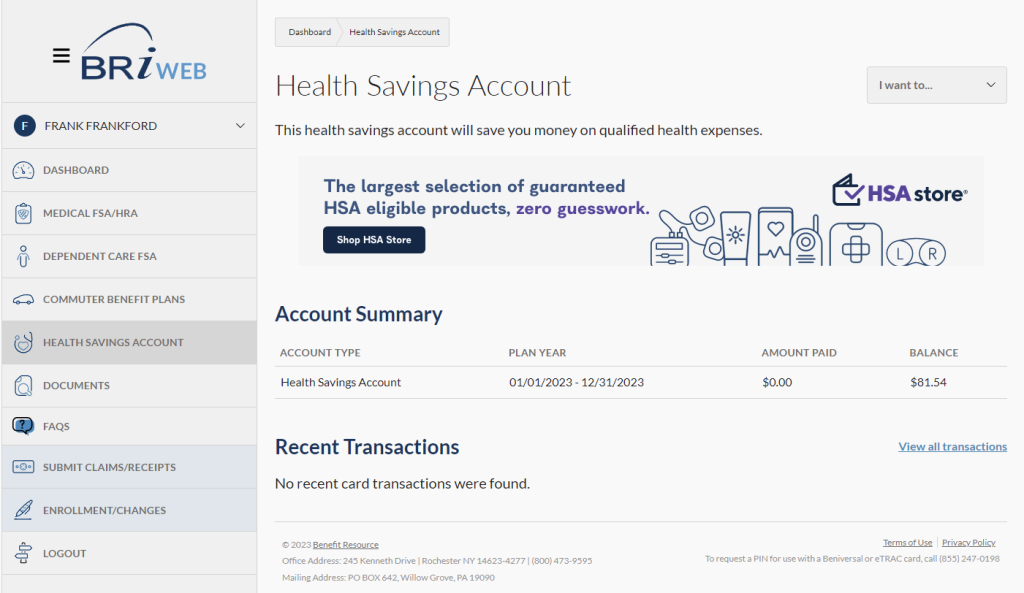
If you pay for an HSA-eligible expense with a source of payment other than your Beniversal Card, you can reimburse yourself with HSA funds.
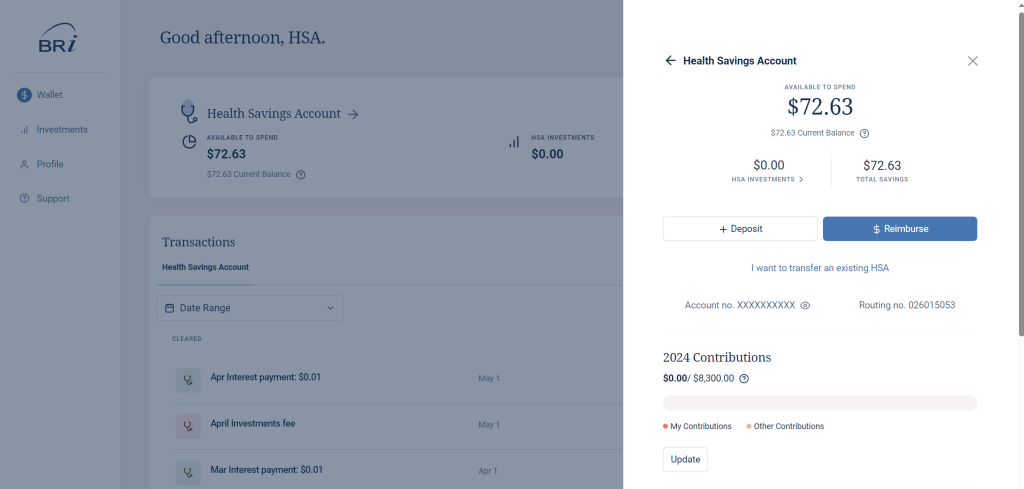
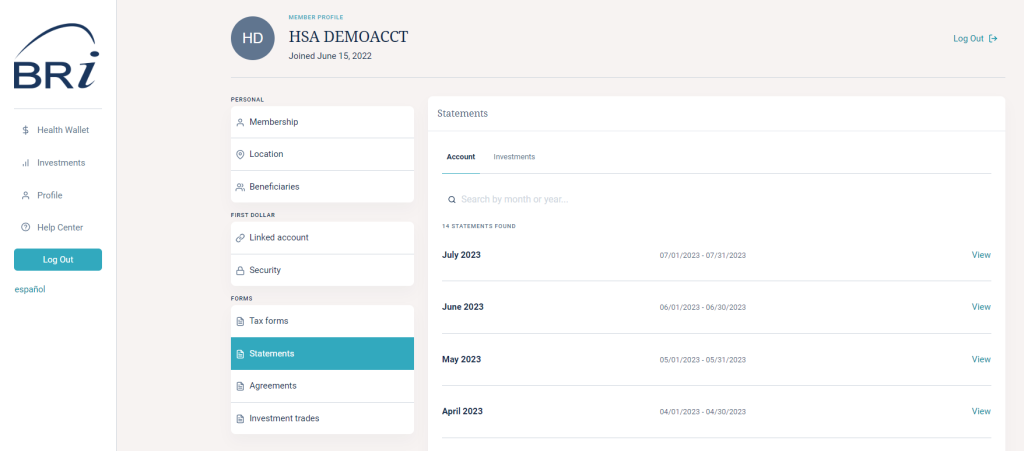
Account statements will be available on a monthly basis. To access them, click on the “Health Savings Account” tab. From the “I want to…” dropdown menu on the right-hand side of the page, click “Manage my HSA” to be redirected to the HSA management portal. Once there, select “Profile” from the left menu. From the sub-menu, select “Statements.” All statements are available as a PDF for download by clicking the “View” button to the right of the item you are interested in accessing.
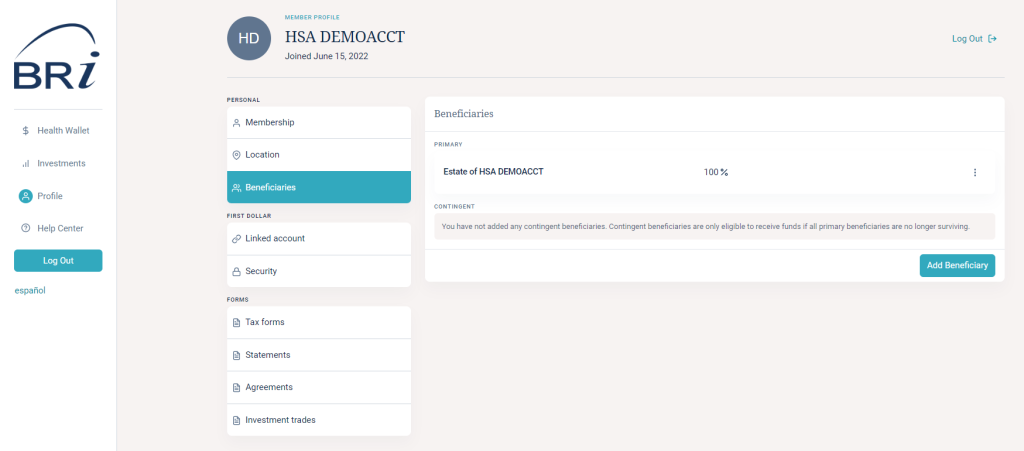
HSA tax documents are generated based on the type of activity you have in your account in a given year. Access your documents by clicking on the “Health Savings Account” tab. From the “I want to…” dropdown menu on the right-hand side of the page, click “Manage my HSA” to be redirected to the HSA management portal.
Once there, select “Profile” from the left menu. From the sub-menu, select “Tax Forms.” All tax forms are available as a PDF for download by clicking the “View” button to the right of the item you are interested in accessing. Tax documents you might find there include:
Tax reporting notes:
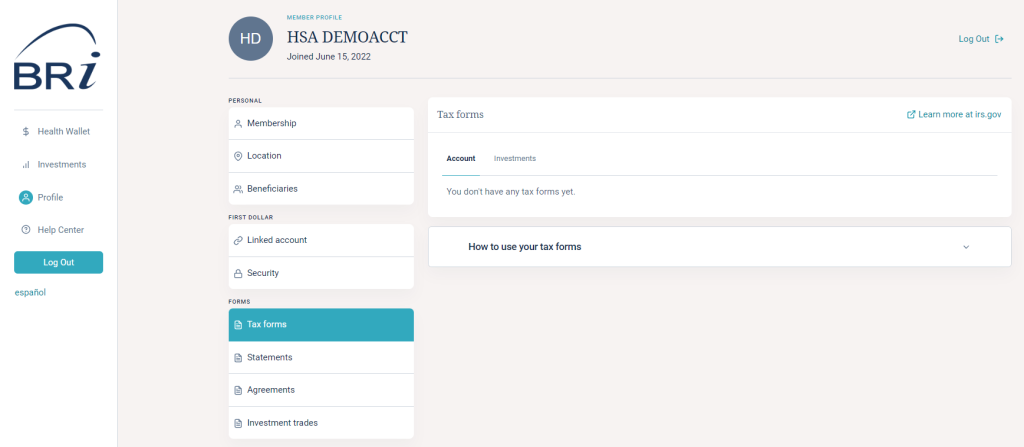
Like many retirement-based accounts, HSAs allow the owner of the account to set up a beneficiary who would receive the HSA funds upon their death. To set a beneficiary for your account funds, click on the “Health Savings Account” tab. From the “I want to…” dropdown menu on the right-hand side of the page, click “Manage my HSA” to be redirected to the HSA Management Portal.
Once there, select “Profile” from the left menu. From the sub-menu, select “Beneficiaries”. Then just select the “Add Beneficiary” button and complete the information requested.
If you are looking to move HSA funds from a prior HSA (other than your UMB HSA) to your Inspira HSA, you can complete either an “HSA Transfer” or an “HSA Rollover.” The rules and limitations for each are specific, so it is important to understand the differences between these options in order to decide which path works for you. Download our Transfer vs. Rollover Comparison Flyer to learn more about which may be right for you depending on your situation.
TO REQUEST AN HSA TRANSFER (FORMALLY KNOWN AS AN HSA TRUSTEE-TO-TRUSTEE TRANSFER):
TO REQUEST AN HSA ROLLOVER:
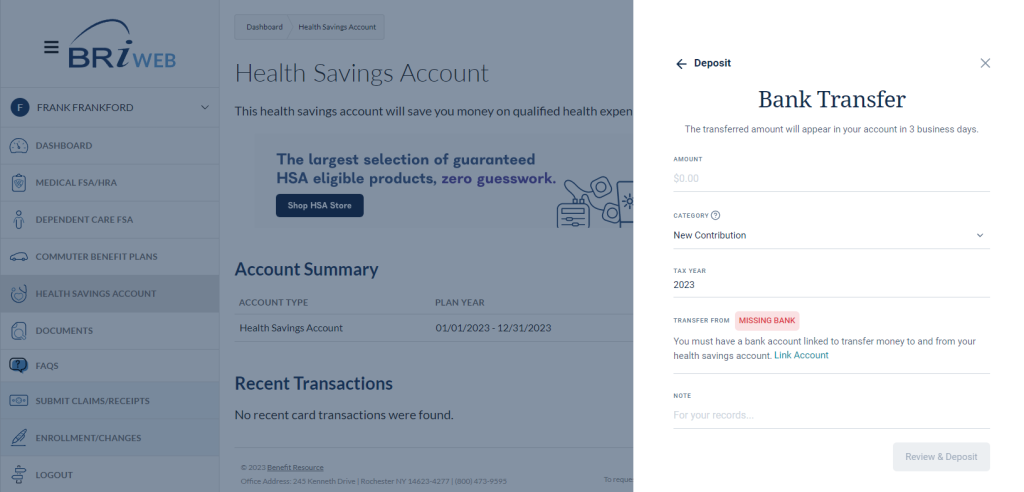
Login to BRIWEB and click on the “Health Savings Account” tab. From the “I want to…” dropdown menu on the right-hand side of the page, click “Manage my HSA”.
Once you’ve been redirected to the HSA Management Portal, select “Invest” from the quick actions in the upper right corner. If you are looking to create an investment account for the first time, you will be walked through the investment account set-up wizard. Click “Start Investing” to get started. Upon completion, you will receive immediate confirmation that your investment account has been created.
You will be brought to the “Investment Dashboard”. You can invest in 1000+ stocks, mutual funds, and ETFs curated by Morningstar Investment Management. There are no investment minimums. To get started, begin typing the name or symbol of the investment. Once you have identified an investment, you will be presented with further information and have the option to BUY.
Get an overview of how to invest your HSA in the next section.
Investments are: Not FDIC Insured • May Lose Value • Not Bank Guaranteed
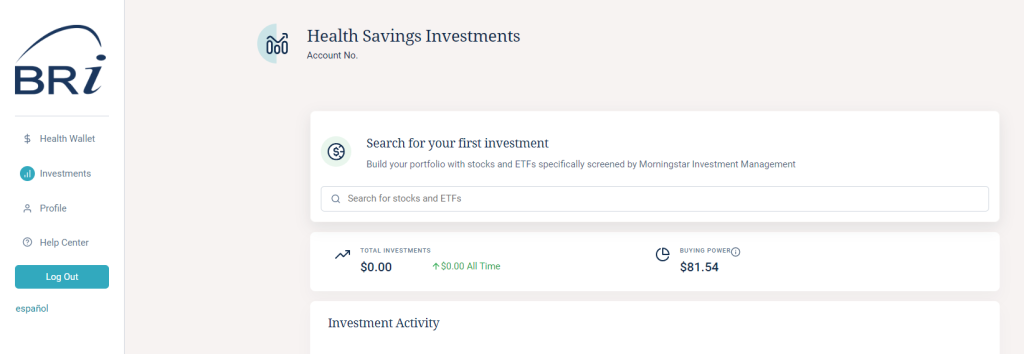

After opening an investment account in the HSA Member Portal, you can begin to invest* your HSA funds in 1000+ top-rated stocks, mutual funds, and ETFs specifically curated for you by Morningstar Investment Management.
Note that inclusion of Investments on this list does not guarantee continued availability for trading. Investments available for trading are subject to change periodically. For real-time information and availability regarding investments, please log into your account at BRIWEB.
Invest for as little as $1 per month upon account creation. After an investment balance of $5,000 is reached, accounts will be charged an investment balance fee of 0.01% monthly.
It may take 2-3 days for proceeds to return to your HSA cash account. Investments are not available for debit card purchases and online transfers.
*Investments are: Not FDIC Insured • May Lose Value • Not Bank Guaranteed
HSA investing is self-directed. BRI is not a registered advisor and cannot provide advice regarding specific investment selections – please consult a registered investment advisor for recommendations and investment advice. However, here are some ways to search for potential investments.
To purchase a stock, simply enter the name or stock symbol in the search bar. A summary of the stock is presented, including market stats. You will be able to invest in most stocks available through the New York Stock Exchange. Certain stocks may not be available. View the directory of stocks available on the New York Stock Exchange.
Common search terms you may want to use if you know the types of investments you would like to consider:
1. Please note that the terms and conditions governing the BRI HSA Investment Account, including the timing of trades, are contained in the Investment Agreement.
2. Benefit Resource, LLC is an affiliate of Inspira Financial Health, Inc. and Inspira Financial Trust LLC. Benefit Resource, LLC and its affiliates do not provide legal, tax or financial advice. Please contact a professional for advice on eligibility, tax treatment and other restrictions. Investment services are independently offered through an independent, third-party registered investment advisor, Morningstar, Inc., and powered by DriveWealth brokerage technology in collaboration with First Dollar. The HSA investment account is an optional, self-directed service, and neither Benefit Resource, LLC nor any of its affiliates provide investment advice. By transferring funds into an HSA investment account, you will be exposed to a number of risks, including the loss of principal, and such funds are not FDIC or NCUA insured, or guaranteed by Benefit Resource nor any of its affiliates. You should always read the prospectus for the funds you intend on purchasing. The prospectus describes the funds, investment objectives and strategies, their fees and expenses, and the risks inherent to investing in each fund. Investing through the Benefit Resource platform is subject to the terms and conditions of the Health Savings Account Custodial Agreement and the Investment Agreement. System response and account access times may vary due to a variety of factors, including trading volumes, market conditions, system performance, and other factors.
We would love to chat with you about your current benefits offerings and best practices that may save you and your employees even more.
Submit Your RFP NowSearch through our interactive database of videos, flyers, tutorials, and other tools to help maximize your BRI experience.
View All ResourcesBRI combines expertise and excellence to provide premier ongoing support to employers and participants, backed by experts and technology you can trust.
BRI is consistently listed in the Rochester Top 100 Companies! We offer growth opportunities and competitive benefits. Join a great place to work!
© 2026 BRI | Benefit Resource