

Use the following FAQs, resources, videos, and tools to maximize your experience with the transition from NCA to BRI.
Participants accessing the site for the first time will be required to register a Custom Login ID.
On the BRIWEB Login page, select the blue “Register an Account” link. Follow the instructions provided.
The following are required during registration:
The BRIMOBILE app is designed to provide on-the-go access to your tax-freebenefit accounts. It’s available in the App Store and Google Play.
You can set-up direct deposit by logging into your account on BRIWEB. Navigate to the Profile section. Enter the bank account and routing number in the Direct Deposit section.
In order to receive email notifications regarding your account, it is recommended that you update your profile to include a personal email address. You can update your email address on BRIWEB by navigating to the Profile section.
If you would like your spouse to be able to access your account(s), you must complete and submit the PHI Authorization Form.
You can access your account by:
Participants accessing the site for the first time will be required to register a Custom Login ID. You will receive an email prior to your migration date with the information you’ll need to register on BRIWEB including your company code, member ID, and initial password.
On the BRIWEB Login page, select the blue “Register an Account” link. Follow the instructions provided.
The following are required during registration:
Please wait until November 20th or later to register.
Once you have your BRIWEB account login information, you can set up your Direct Deposit, submit claims, and even chat live with our Participant Services team if you have any questions.
You will see an aggregate year-to-date view of all deposits and withdrawals that occur prior to the migration date.
You can start submitting your claims to BRI starting the Monday after your migration date. Please refer to the email communication for the exact date.
Yes! Your direct deposit information will not carry over and will have to be re-entered. You will need your Bank Routing Number and Account Number.
There are three ways to submit your claims:
View our step-by-step walkthrough on how to submit claims! Just select the option you want, Mobile or Desktop, and follow the instructions! Click here for the walkthrough.
Your claims will be processed within 3 to 5 days after they are received at our processing center.
The last day to submit a claim to NCA is 10 days prior to your migration date. Please refer to the letter you received regarding your exact claims deadlines.
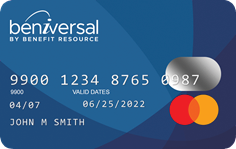
Your existing card(s) will be deactivated ten days prior to your migration date and your new Beniversal Prepaid Mastercard will arrive prior to your migration date. You may begin using your new card the following Monday after you activate it. For exact dates, please refer to the email you received.
The fastest way to activate your card is to call the activation number on the card. This option takes under one minute to complete.
You can also activate your Beniversal Card online when you log in to your BRIWEB account with your Login ID and password. Once logged in, navigate to the Profile section by expanding the menu under your name.
Note: If you are logging in for the first time, you will need to complete the Register an Account process.
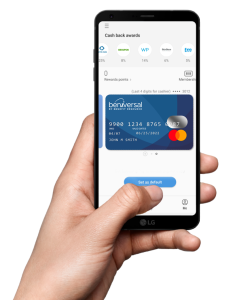
A digital wallet is a third-party including Google Pay, Samsung Pay, or Apple Pay that allows you to add debit and credit cards as payment methods that are accessed via your phone. To add your Beniversal Card to a digital wallet, you must first have the digital wallet installed. Once you have installed the digital wallet, you can follow the instructions below to add your Beniversal Card as a payment method.
Please note: In order to complete registration, the mobile phone number associated with your digital wallet must be on file with BRI. You can provide one by modifying your Profile information on BRIWEB.
If you have additional questions or need additional assistance, please reach out to Participant Services at the following: